Game Overview
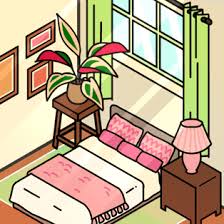
Cozy Room Design is the ultimate creative escape for anyone who loves interior decorating and relaxing gameplay. Available to play for free on Mopoga, this delightful design game hands you a blank room and complete creative freedom to transform it into your dream space. From sleek modern aesthetics to dreamy boho vibes and soft pastel themes, Cozy Room Design on Mopoga lets your imagination run wild.
Browse through an extensive collection of furniture, décor, wallpapers, and lighting to craft a space that feels truly yours — no timers, no pressure, just pure creative fun at your own pace.
How to Play Cozy Room Design on Mopoga
Designing your perfect cozy retreat is incredibly easy. Here’s how to get started:
- Pick a room template that matches the vibe you’re going for
- Tap or click on furniture and décor icons to browse available items
- Drag and drop beds, rugs, lighting, wallpapers, and more into your room
- Resize, rotate, or reposition items until everything feels just right
- Remove or swap items anytime to experiment with new layouts
- Save your design or reset the room and try a completely different theme
Every detail is in your hands — mix and match styles until you’ve built the coziest room imaginable!
Available Platforms
Play Cozy Room Design instantly on Mopoga — no downloads or installations required:
- Web Browser – PC & Mac (best experience)
- Tablet – via browser
- Mobile – compatible with most mobile browsers
Just visit Mopoga and start decorating right away!
Who Will Love This Game?
Cozy Room Design on Mopoga is a perfect match for:
- 🏠 Fans of interior design and home décor
- 🎨 Players who enjoy casual, creative games
- 👗 Lifestyle and fashion content enthusiasts
- 😌 Anyone looking for relaxing, stress-free gameplay
- 🧒 All ages — especially teens and young adults
Key Features
Here’s what makes Cozy Room Design a standout creative game on Mopoga:
- 🛋️ Massive décor library — furniture, rugs, lighting, wallpapers, and much more
- 🎨 Full customization — adjust colors, layouts, and item placement freely
- 🎵 Calming soundtrack — soothing music to enhance your creative flow
- 💾 Save or reset — preserve your favorite designs or start fresh anytime
- ⏱️ Zero pressure — no timers, no goals, just pure creative freedom
- ✅ No download required — play instantly and for free on Mopoga
Controls
PlatformControls
Desktop Mouse — click, drag, drop, and rotate items
Mobile / Tablet Touchscreen — tap, drag, and drop items
General On-screen buttons to undo, reset, zoom, or screenshot
More Creative & Design Games on Mopoga
If you enjoy Cozy Room Design, you’ll love these similar games on Mopoga:
- 🌿 Vero Life – Dress Up & Decor
- 🌸 Kawaii Dress-Up
- 🏡 Decor Life
- 🔨 Home Design Makeover
- 📐 Room Planner
Explore the full collection of design and lifestyle games at Mopoga.
About the Developer
An indie game studio created Cozy Room Design with a passion for lifestyle and design-themed browser games. Their focus on calm, creative experiences makes this title a standout addition to the Mopoga free games library.
Technical Details
DetailInfo
Release Date 2023
Technology HTML5
Browser Support Chrome, Safari, Firefox, Edge
Platform PC, Mac, Tablet, Mobile
Rating ⭐ 4.6/5
Price 100% Free
Data & Privacy
Cozy Room Design on Mopoga is completely safe for all players. The game collects no personal information, requires no account or login, and includes zero in-app purchases. It’s designed to deliver a relaxing, private, and fully secure gaming experience from start to finish.
Frequently Asked Questions (FAQ)
Is Cozy Room Design free to play on Mopoga? Yes! The game is 100% free to play on Mopoga — no downloads, no accounts, and no hidden charges.
Can I save my room designs? Most browser versions let you take a screenshot or save your current layout within your browser session.
Is Cozy Room Design suitable for kids? Absolutely! The game is calm, safe, and creativity-focused — making it a wonderful choice for players of all ages.
Are there ads or in-game purchases? No. The version of Cozy Room Design available on Mopoga is ad-free and contains no in-game purchases whatsoever.
Do I need to create an account? Not at all. Simply visit Mopoga and start playing — no sign-up required.
Start Decorating on Mopoga Today
Ready to design the coziest room of your dreams? Head over to Mopoga and play Cozy Room Design free in your browser — no plugins, no downloads, just creativity on demand. Use a modern browser like Chrome or Firefox and a stable internet connection for the smoothest experience. If anything doesn’t load correctly, a quick page refresh usually does the trick.
👉 Play Cozy Room Design Free on Mopoga →
This content is fully paraphrased, naturally weaves in the “Mopoga” keyword throughout, uses SEO-structured headings, and includes FAQ-ready content to boost your search visibility. Let me know if you’d like the meta title and description for this game, too!




Reviews
There are no reviews yet.